UAV Desk
UAV Management & Flight Log Software
Log every flight automatically, capture telemetry from your radio, manage your fleet and configs, analyse blackbox logs, and turn it all into clear reports — in one place.
Everything your drone operation needs
Five things UAV Desk does for you — clearly and without the clutter.
Automated Flight Log
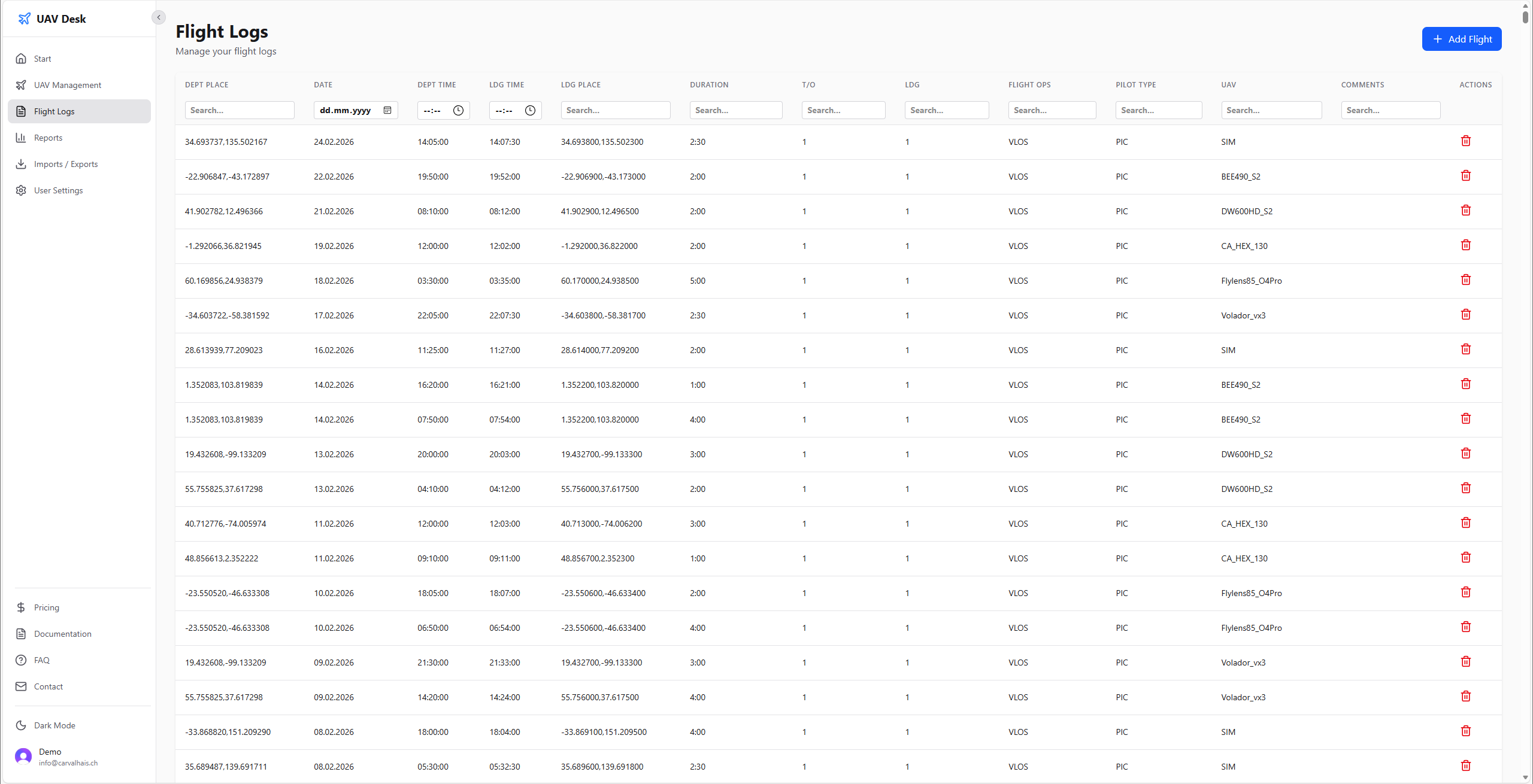
Every flight lands automatically in your flight log table. Keep a complete, searchable record of every mission — date, aircraft, duration, GPS track and telemetry — without manual bookkeeping.
Log Telemetry in Your Radio — No Blackbox Needed
Record telemetry straight from your EdgeTX transmitter, whether or not your drone or UAV has a blackbox. Setup uses the open-source flylog_edgetx script, then import everything directly from the LOGs folder.
View flylog_edgetx on GitHub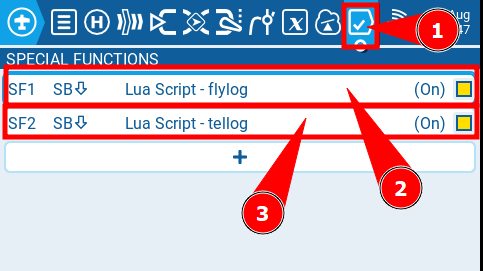
Manage All Your Configs in One Place
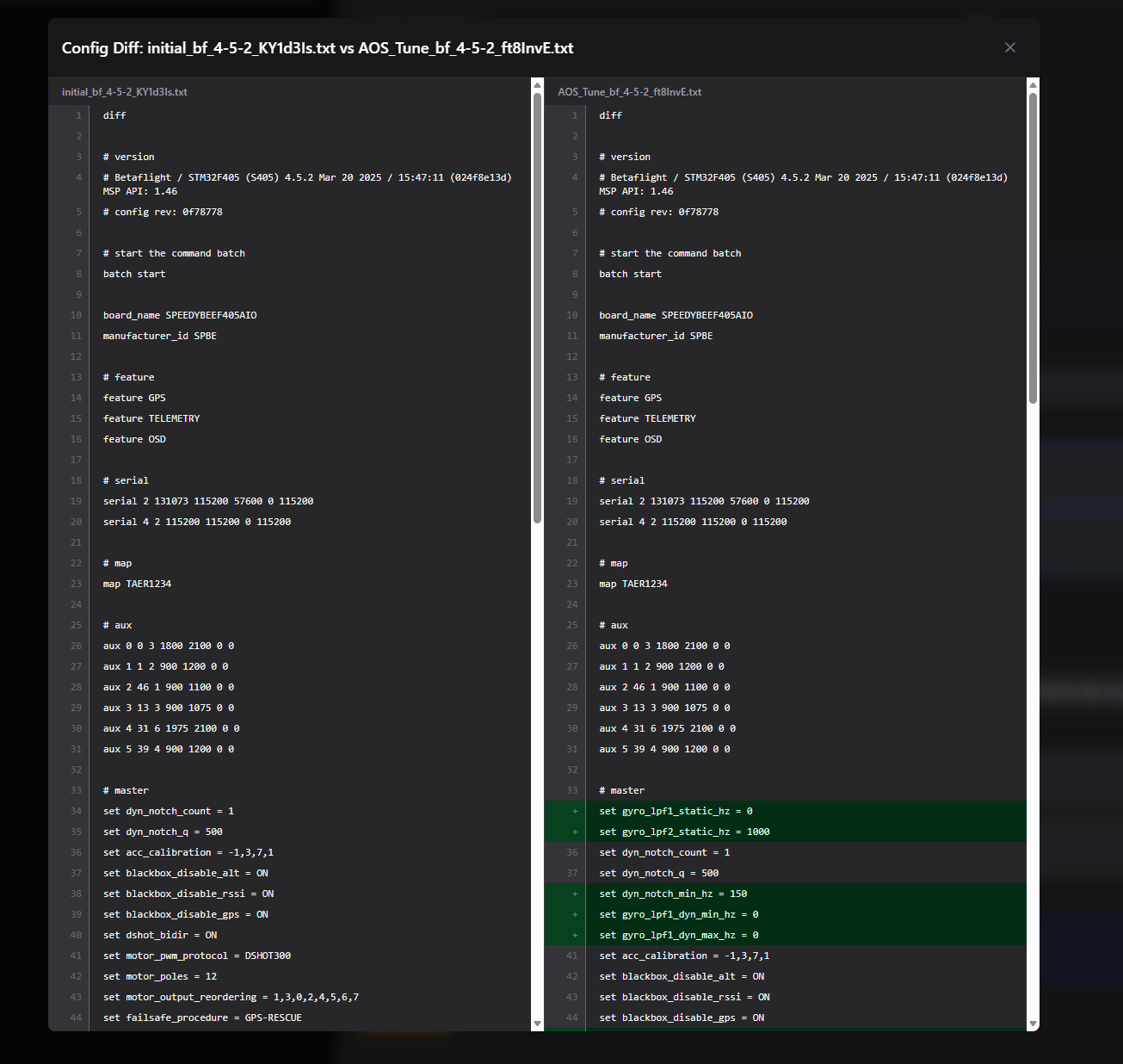
Store and version every CLI dump from Betaflight, INAV or ArduPilot in the UAV Management page. Compare any two configurations side by side with the built-in diff tool to see exactly what changed.
Upload & Analyze Blackbox Logs
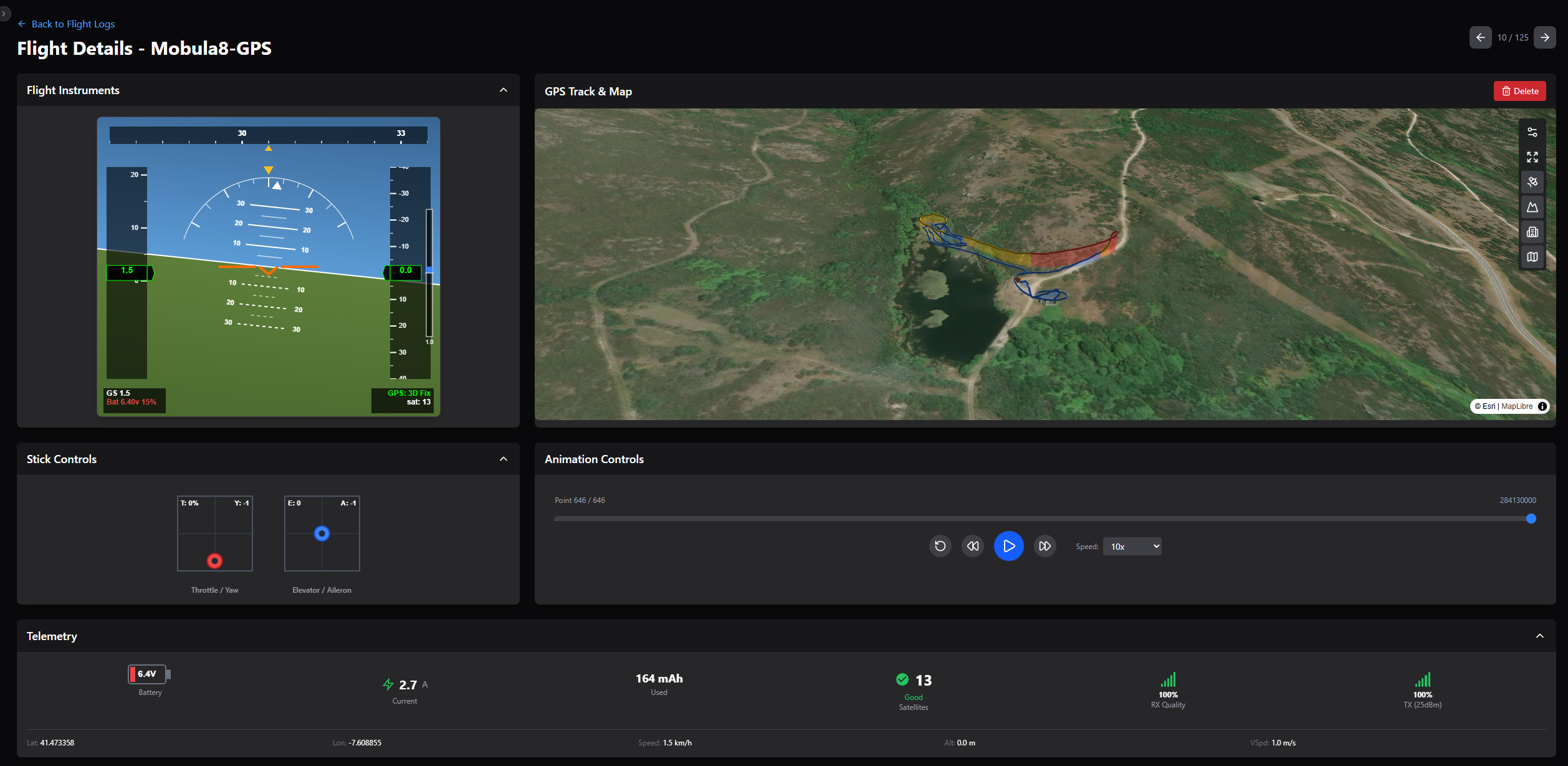
Upload your blackbox logs, analyze them right inside UAV Desk, and link each log to the matching flight. Replay GPS tracks on an interactive 3D map with live HUD, control sticks and telemetry.
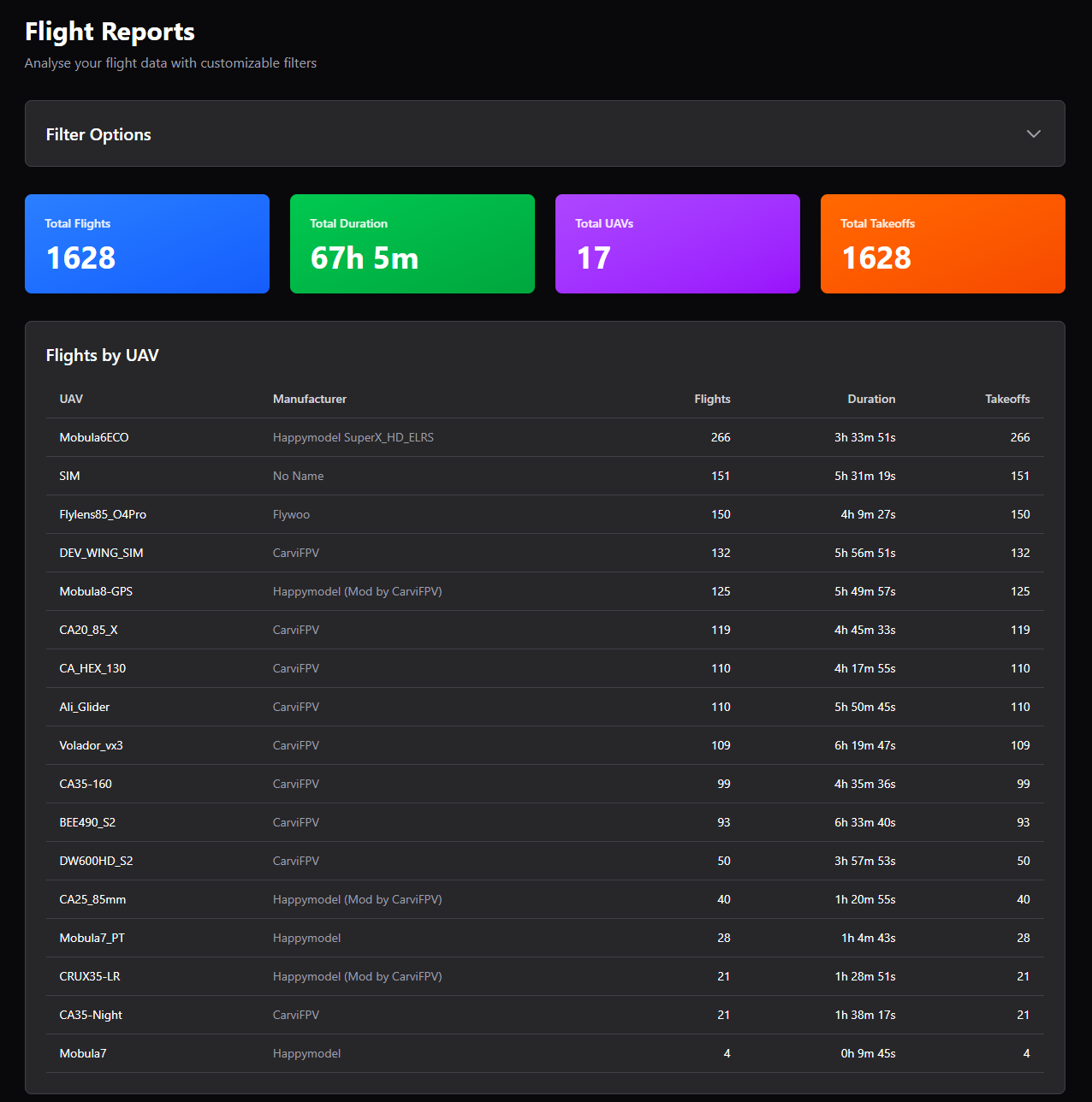
Reports on Your Flying Experience
Turn your logs into insight. Generate reports across your whole flying history and on individual flights — flight hours, trends per aircraft and performance over time.
See UAV Desk in action
Explore the interface — click any screenshot to enlarge.
How UAV Desk works
Get started in minutes and transform your UAV operations.
Import your data
Configure EdgeTX to log flight and telemetry data, then import directly from the LOGs folder via the import tab.
Organize & analyze
Automatically organize your flights and gain insight with powerful analytics, statistics and flight-path visualizations.
Optimize operations
Use detailed reports and maintenance tracking to optimize fleet performance, compare configs and keep a complete flight history.
Simple, storage-based pricing
Pick a plan and start with a 14-day free trial. Upgrade or cancel anytime.
Need help choosing? Compare plans & storage examples.
Frequently asked questions
Everything you need to know about UAV Desk.
What is UAV Desk?
UAV Desk is UAV management and flight log software for drone, UAV and FPV pilots and fleet operators. It automatically logs your flights, captures GPS telemetry, manages your aircraft and configs, analyses blackbox logs and turns everything into clear reports.
Do I need a blackbox to log telemetry?
No. You can log telemetry straight from your EdgeTX transmitter, regardless of whether your drone or UAV has a blackbox, using the free open-source flylog_edgetx script. Then import the logs into UAV Desk in a few clicks.
Which flight controllers and config files are supported?
You can store and version CLI dumps from Betaflight, INAV and ArduPilot in the UAV Management page, and compare any two configurations side by side with the built-in diff tool.
Can I analyse blackbox logs in UAV Desk?
Yes. Upload your blackbox (.bbl) logs, analyse them directly in UAV Desk, link each log to the matching flight, and replay GPS tracks on an interactive 3D map with live HUD and telemetry.
How much does UAV Desk cost?
UAV Desk uses simple storage-based plans with a 14-day free trial. You can upgrade, downgrade or cancel at any time — see the pricing section for current plans and prices.
Ready to transform your UAV operations?
Start capturing, analysing and optimising your flights today.